
RobotWin Studio user guide
With RobotWin Studio you take a robot project from start to finish in one app: draw the circuit, lay out its PCB, write its code, model its body, then run it all together in a world with real physics.
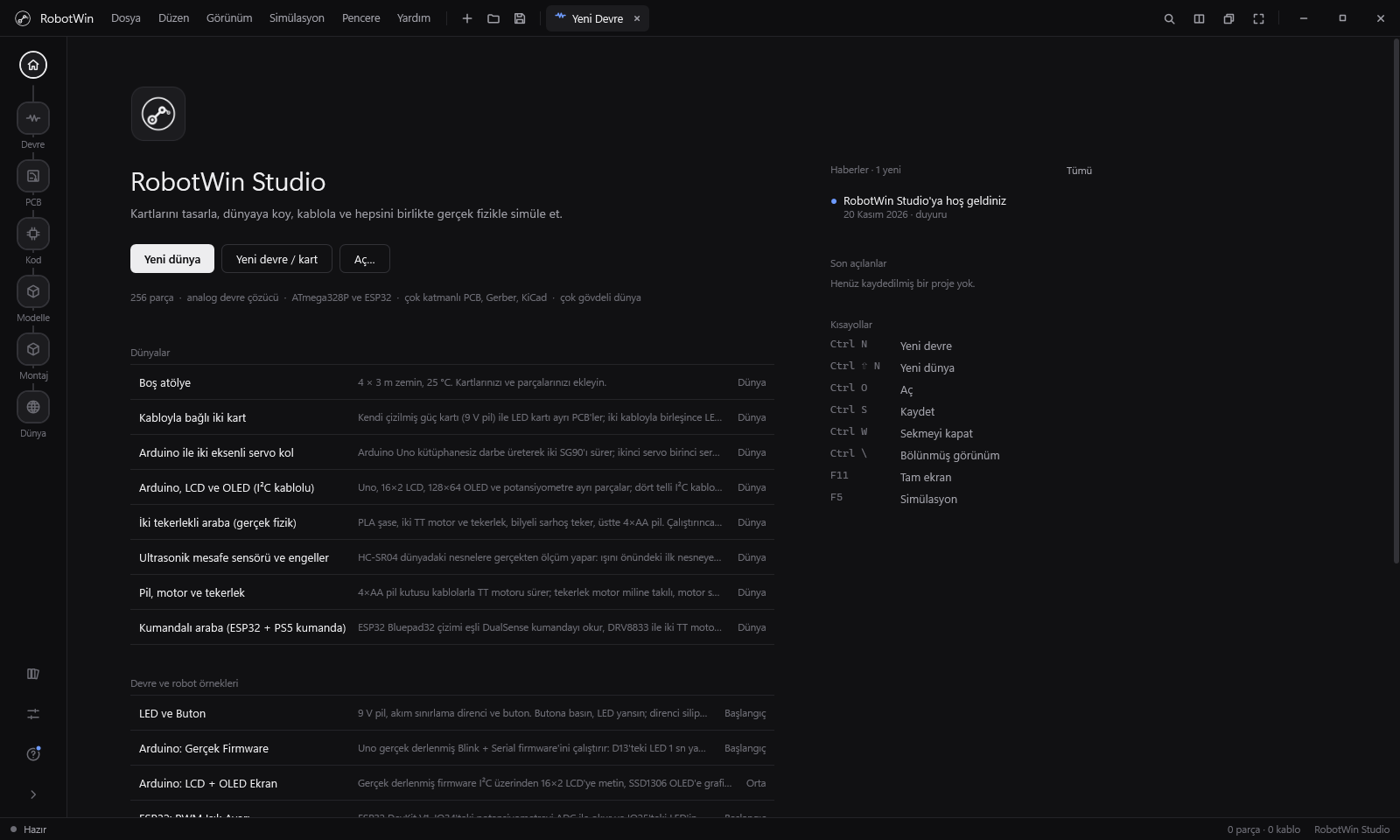
This guide walks through the app step by step. Read it in order or jump straight to the chapter you need. Every solver’s equations are in Physics and maths.
The app’s interface is in Turkish. This guide gives every label as it appears on screen, in bold, followed by its meaning where it helps.
Contents
| Chapter | Topic |
|---|---|
| 1. Getting started | Installing, first launch, the parts of the screen, files, settings |
| 2. Circuit | Drawing a schematic, adding parts, wiring, live simulation |
| 3. PCB | Board design, routing, copper pours, DRC, manufacturing files |
| 4. Code | Writing, compiling and loading Arduino and ESP32 code, serial monitor |
| 5. Model | 3D part modelling: chassis, bracket, box; sending to the world |
| 6. Assembly | Turning the circuit into a real assembly: board, real parts, pin-to-pin cables |
| 7. World | The open world: boards, parts, cables, mechanical joints, physics, controllers, pressure vessels and rockets |
| 8. Instruments | Oscilloscope, multimeter, bench supply, tolerances, Monte Carlo, fault finding |
| 9. Keyboard shortcuts | Shortcuts of every page |
| 10. FAQ | Problems and their fixes |
| 11. What’s new | What each release brought, changed and fixed |
| 12. Validation | How far each solver is from theory and benchmark problems, with tolerances |
What can I do in five minutes?
- Open the app; on the Başlangıç (home) page pick the Kumandalı araba (ESP32 + PS5 kumanda) (remote-controlled car) template from the Dünyalar (worlds) list.
- Press F5 to run the world.
- Select the controller and drive the car with Sanal kumandayı aç (fare / klavye) (open the on-screen controller: mouse / keyboard).
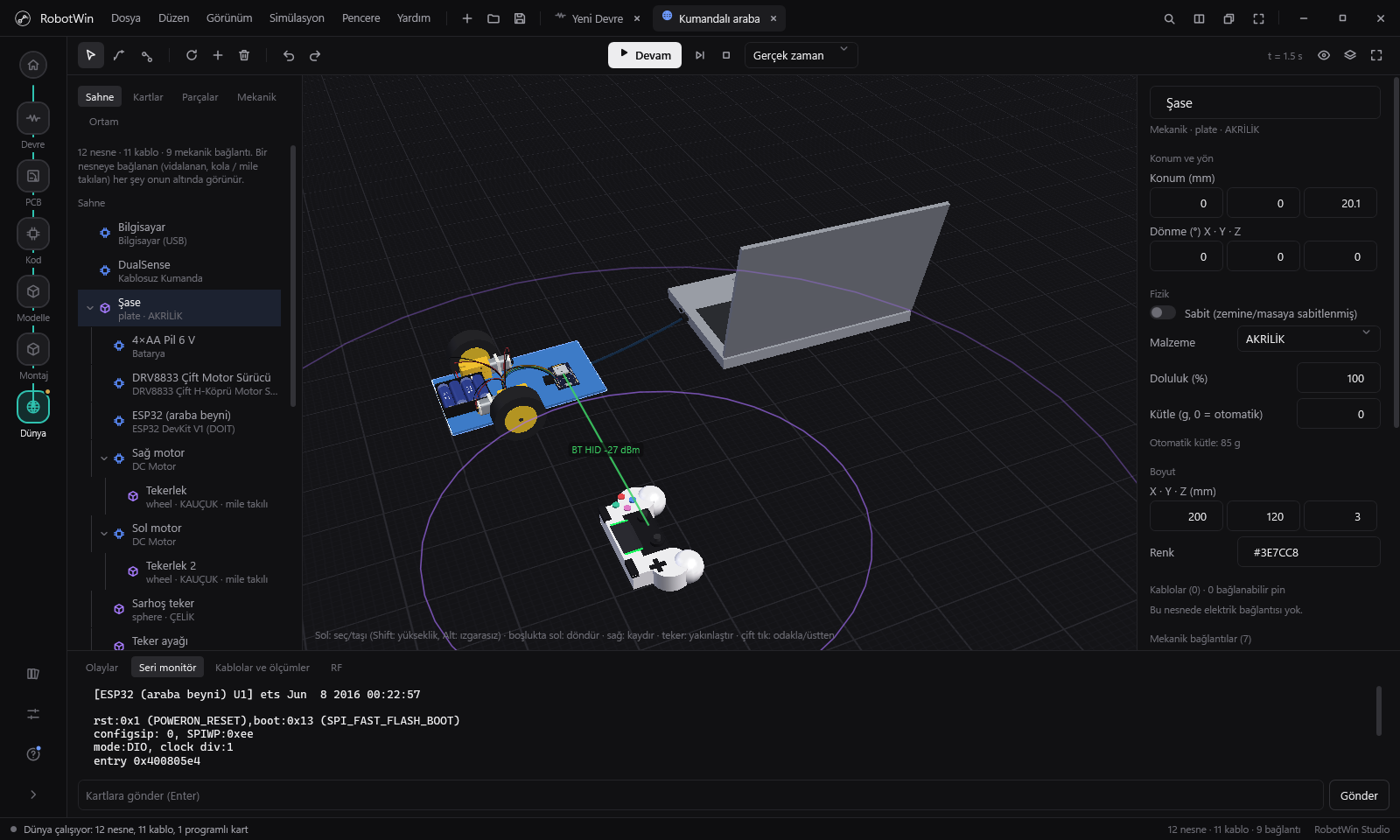
Details: 7. World.
The design-to-real line
The vertical line on the left of the screen shows a project’s stages in order, each with its status. Ctrl+B expands or collapses it.
| Stage | Shortcut | Guide |
|---|---|---|
| Başlangıç (Home) | Ctrl+0 | 1. Getting started |
| Devre (Circuit) | Ctrl+1 | 2. Circuit |
| PCB | Ctrl+2 | 3. PCB |
| Kod (Code) | Ctrl+3 | 4. Code |
| Modelle (Model) | Ctrl+4 | 5. Model |
| Montaj (Assembly) | Ctrl+5 | 6. Assembly |
| Dünya (World) | Ctrl+6 | 7. World |
| Kütüphane (Library) | Ctrl+7 | 1. Getting started |
| Ayarlar (Settings) | Ctrl+, | 1. Getting started |